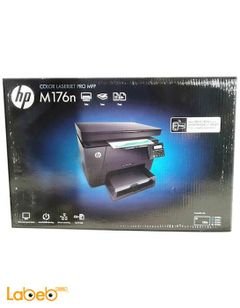

Upgrade your printing experience at home or in the office with the Canon i-SENSYS MF655Cdw, a multifunction color laser printer designed for high-quality output and reliable performance. This all-in-one device combines speed, precision, and user-friendly
features in a sleek white finish, making it a perfect fit for modern environments such as offices, homes, or even schools.
The Canon i-SENSYS MF655Cdw offers comprehensive functionality, supporting printing, copying, scanning, and faxing—all in one device to meet all your business needs. Featuring advanced laser technology, it supports both Wi-Fi and USB connectivity, granting you the flexibility to connect with various devices, including PCs running Windows, Linux, or Mac OS X.
Technical
Specifications
- Brand: Canon
- Model: i-SENSYS MF655Cdw
- Country of Origin: Japan
- Product Dimensions: 46 x 45.1 x 41.3 cm
- Weight: 22.6 kg
- Printing Technology: Color Laser
- Maximum Print Resolution: 1200 x 1200 dpi
- Print Speed (Mono/Color): Up to 21 pages per minute
- Input Sheet Capacity: 251 sheets
- Supported Paper Size: A4
- Auto-Duplex Printing
- Full-Color LCD Touchscreen
- Power Consumption: 370 Watts
- Included Components: Original Canon toner cartridges
Features
- Print via Email & Scan to Email functionality
- Energy Star certified for efficient power consumption
- Fast multi-page copying and scanning
- Wireless printing from smartphones and tablets via Wi-Fi
- Supports multiple media types: plain paper, envelopes, labels
Ideal
Use Cases
This printer is tailored for dynamic work environments such as offices, small businesses, schools, and is also perfect for home users seeking professional-grade performance with time and cost efficiency.
Benefits
- High productivity thanks to fast printing and multitasking capabilities
- Professional-quality output in both color and black-and-white
- Easy operation with a responsive touch screen interface
- Cost-saving and eco-friendly with automatic duplex printing
- Comprehensive technical support and extended
warranty
Care Instructions
- Use only original Canon toner cartridges for optimal results
- Clean exterior surfaces with a dry cloth
- Keep the printer away from moisture and extreme heat
- Regularly update drivers to ensure peak performance
Invest in the Canon i-SENSYS MF655Cdw and enjoy a reliable, comprehensive printing solution every time you need it.