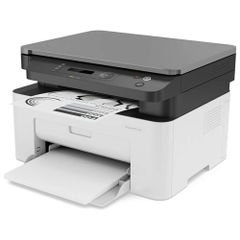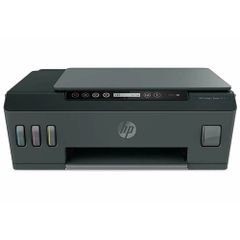


Experience the ultimate in versatile home and office printing with the Canon PIXMA TS3640 Wireless Compact All-in-One Printer. Designed by Canon, a trusted Japanese brand renowned for innovation, the TS3640 combines modern style with practical functionality to deliver seamless, high-quality results at an affordable price. Its compact footprint makes it a smart choice for any space, whether on a desk, in a study, or a kitchen corner.
Technical
Specifications
The PIXMA TS3640
features a sleek, space-saving design and a user-friendly 1.5-inch monochrome LCD screen for clear status updates. With built-in Wi-Fi, you can print, copy, and scan wirelessly from your smartphone or tablet using the Canon PRINT app, AirPrint (iOS), or Mopria (Android).
It utilizes Canon’s dual FINE ink cartridges (PG‑445/CL‑446 or XL variants), supporting borderless photo printing up to 5×7 inches and delivering crisp prints with a resolution of 4800×1200 dpi. Print speeds reach up to 7.7 monochrome images per minute (ipm) and 4 color ipm, while standard cartridges yield approximately 180 pages (300–400 pages with XL).
Features
- Space-efficient, contemporary design fits modern homes and small offices.
- Effortless wireless connectivity with smart devices via Wi-Fi.
- Super-simple, one-touch setup for quick start-up.
- Crystal-clear 1.5” LCD screen for easy navigation and status monitoring.
- Rear tray holds up to 60 sheets for uninterrupted printing.
- Auto on/off function for energy conservation.
- Borderless photo printing up to 5×7”; print a 4×6” photo in just 65 seconds.
- Wi-Fi PictBridge technology for direct printing from compatible cameras.
- Flatbed CIS scanner offers 600×1200 dpi optical resolution; copy speeds around 3 ipm with borderless support.
Use Cases &
Benefits
Perfect for printing work documents, scanning important forms, copying notes, or producing vibrant borderless photos, the PIXMA TS3640 delivers professional-grade results with minimal hassle. It’s ideal for home offices, student dorms, family use, or even kitchens for recipes and shopping lists. Its easy setup and intuitive interface make it accessible for users of all ages.
Care Instructions
To maximize performance, use genuine Canon ink cartridges and regularly clean the scanner glass. Keep the printer in a dry area away from direct sunlight, and avoid using damp or damaged paper. Switch off the printer when not in use to save energy and prolong its lifespan.
The Canon PIXMA TS3640 brings borderless creativity and reliable performance to your daily printing needs, all in a compact, stylish package. Choose Canon, choose quality you can trust.